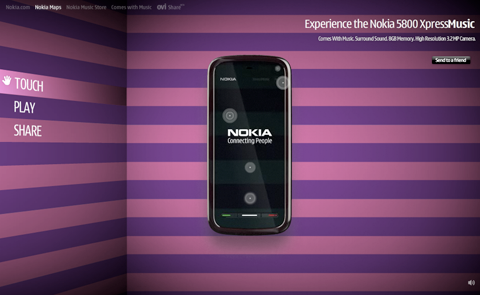
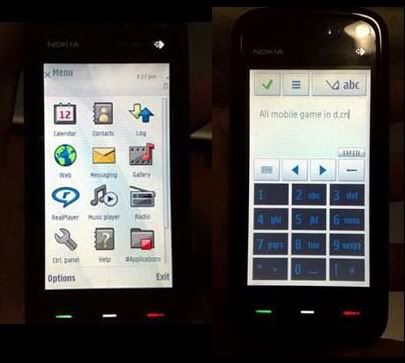
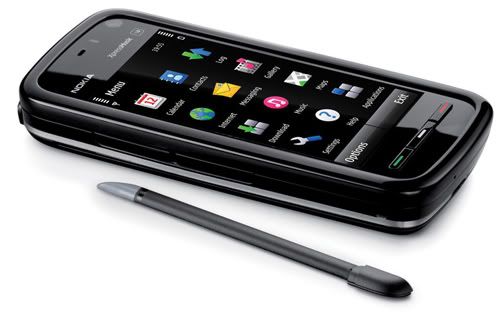
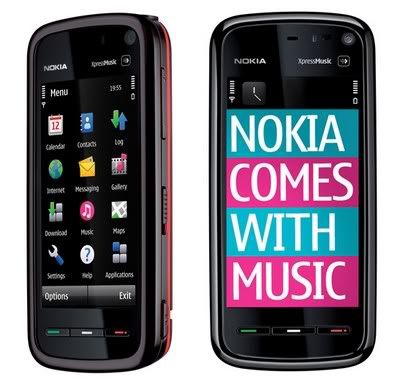
OnlyNokia5800[dot]blogspot[dot]com will share contents about Nokia 5800Xm.
We include
1. Third parties Applications & Games
2. Themes (a collection of links and websites)
3. Latest information updates from Nokia
5. Sharing between users

Downloading files from this site is at your own risk. But, I will ensure everything is useful to you.
However, they are few applications that are needed to be signed at SymbianSigned, Don't know what is SymbianSigned? Instruction when signing?? HERE
To check firmware version or whether your phone is up to date for your region HERE
Blog Widget by LinkWithin
Watch out for the updates for application, games, themes and more... everyday... every week. The site will be Collecting new Free application when it is available ... or... OVI Store for latest application

Theme Review: Maemo Arena for S60 5th Edition

Posted by Isaac Wong Sunday, November 29, 2009 0 comments


No, nobody has ported Maemo 5 to our 5800s (yet!) but symbian theme designer Mandeep and FoneArena have released Maemo Arena, a symbian theme heavily inspired by the UI elements of Maemo 5.

Now only if some hacker would port the Maemo 5 OS to the 5800s, would we get the features like kinetic scrolling and skype integration on our 5800s but till then we have to be happy with this Maemo Arena theme, which we have to confess is as close as symbian UI can ever get to the Maemo UI, that is at the time being. Check out screenshots and a brief review after the break. Read more »


source: tube5800.com


Spotify, one of the better known music streaming services on the mobile platforms has now landed on our 5800s (yeah finally!). The service which has been doing the rounds in the iPhone and Android communities now completes the full circle when it comes to support for different mobile platforms with the newly announced symbian support.

As with their apps on iPhone and Android, the app is available only for premium subscribers of Spotify (£9.99/month). That doesn’t mean others cannot install this app; its just that non-subscribers will not be able to use the app’s streaming services and hence will be stuck at the login page of the app. If you are game to a premium Spotify account, you gotta see the demo video, afterthe break though. Read more »


source:tube5800.com


The Nokia 5800 XpressMusic has changed the way we have our mobile experience. Before, it was just making phone calls and text messages. Today, it is about being connected 24/7.

These past few years, Social Networking has bitten the world. Everyone has extended his or her life offline to the world online. From simple websites that aim to connect people, now these web 2.0 worlds make more things happen. From sharing of pictures to video to comments and having online meetings, social networking is here to stay as long as people want to be connected with each other.

There is plenty of software out there for the Nokia 5800 phone. You can check some of them at the Ovi Store. Some may not be in Ovi but have individual websites that sell their software. However, not all applications are essential.

I’m going to share to two essential applications that I recommend for Social Networking.

Facebook App

Facebook has overtaken MySpace and Friendster in leaps and bounds. I have been able to connect with a lot of people from long lost relatives to high school and college friends to celebrities. Facebook has a cool application for the Nokia 5800 phone.

The standards apply. You can type in your status using the application. You can check the news feeds or statuses of your network of friends and comment. What I think would be the coolest feature is to upload a photo from your gallery or an instantly taken photo to your Facebook account. Unfortunately, you cannot create a new photo album using thisapplication. But nevertheless, this beats the mobile version anytime.

Gravity

Twitter has revolutionized the way we communicate. With just 140 characters under your arsenal, people have typed in their location, what they are doing or what is on their mind. This is not just happening via desktop computers but via mobile phones. For the Nokia 5800, the best Twitter application would be Gravity. Gravity has a sleek interface and does more than just read tweets. It can post tweets, comment or respond to tweets and search for new friends to follow.

As a bonus, you can add your Facebook account in Gravity so you can update your status as well. And it also displays the statuses of your Facebook network of friends. How cool is that?

Of course, there are other applications out there depending on your need. If you are a MySpace user, there is an application for that. And so do Photobucket and Flickr.

With the great mobile features of the Nokia 5800 XpressMusic phone, you are given so much freedom to put the application that you believe you need to gain your very own mobile social networking experience

source:nokia5800.net


Nokia 5800 works with Macbooks

Nokia 5800 works with Macbooks

Not everyone who owns Nokia 5800 XpressMusic phone has a PC. There are some who use a Mac. Of course, it also goes that those who own an iPhone do not necessarily have a Macbook but use a PC.

Apple continues to increase its market share with its newest and slickest desktop (i.e. iMacs) and mobile computers (i.e. macbook and macbook pros) and their very stable Mac OS X operating software. And their presence is rapidly increasing in spite of the hefty price tag that comes with a unit. Nevertheless, their presence should not be denied.

Many Nokia users do have Macbooks. Unfortunately, Nokia has not release a Mac version of their proprietary software called PC Suite, which will enable your PC computer to access your phone, and do all sorts of things such as send text messages, edit your contacts and upload your music.

On a Mac, you can use PC Suite if you either boot up in Windows (Yes. You can run Windows on a Mac) or use a virtual software such as Parallels to run Windows while in a Mac OS X environment.

Even though you do not have a PC Suite running in your Mac, this does not mean you cannot do anything with your Nokia 5800. You can use your Mac with your Nokia 5800 phone.

Connecting to your phone

Though you may not be able to use the USB cable that comes with your Nokia 5800 phone, you can still use the Bluetooth device that is built-in the phone with your Macbook. To me, this is much more beneficial since you do not have to worry about cables or drivers. Bluetooth is pretty much straight forward and can easily connect to any Bluetooth enabled device. Good thing that Mac comes with Bluetooth right off the box.

You can use the built-in Bluetooth device in your Macbook to connect wirelessly to your Nokia 5800 phone. All you need to do is turn on the Bluetooth from your taskbar or from the System Preferences. Also activate your Nokia 5800 phone’s Bluetooth. Make sure you set it to “Discoverable” mode or else your Mac won’t find it.

Then, choose “Set-up Bluetooth device” from your Macbook and follow the wizard. There will be a special selection “Mobile Phone” that you can choose in the selection. Once you are able to detect the phone with your Macbook, then you can begin doing things with it.

For example, you can send files such as photos, notes and pictures to your Nokia 5800 and vice versa. Also, you can pair your Mac to your Nokia 5800 and access either the phone’s memory or the SD card. From here, you can copy files from the phone to your Mac and vice versa. This is perfect to transfer mp3 and movie files to your phone.

Read More »

source:nokia5800.net


index_main

Mobile Codes are not anything new but still there is a large Nokia 5800 audience who may not be familiar with it. As per Nokia – “'Mobile codes' are codes in the same way as ordinary barcodes are, but their matrix structure can hold more information. The codes are also mobile in the sense that you can use the camera on your mobile device to scan and decode them.”

What you can do with a Mobile Code?

As per the definition above, a Mobile Code stores much more info than a regular bar code. Hence, you can use it to store your address and other important information. You can even use it as your business card. You can store upto 60 letter text as a mobile code and other links to websites. You can even publish it on your facebook profile, send as an MMS, print on your T-shirt.

mc

Pre-requisites :-

There is nothing much really techie that you need. You just need a web browser to access the Mobile Codes website and the a decoder application installed on your phone which is available freely from a number of publishers. Yes, it comes free.

Visit http://www.i-nigma.mobi on your mobile handset to download the mobilecode reader.

Read More »

source:nokia5800.net


Keep your Nokia 5800 in great shape. Update.

Keep your Nokia 5800 in great shape. Update.

With all the applications installed in your Nokia 5800 XpressMusic Phone, it would be natural for you to get so pre-occupied. Sometimes, the developers of these applications roll out updates and bug fixes without even tell you. You would only know either your read it in a blog page just like what you are doing now or you heard it from a tech geek friend.

Your Nokia 5800 XpressMusic has a built-in updater that can check the applications that need updating. This feature is called the Applications Update.

This little known feature can easily be forgotten but it does serve its purpose well. This often forgettable feature will make life easier for you with a few simple taps on the screen.

First, you need to find it. The icon is located inside the Applications folder of your Nokia 5800 XpressMusic phone. When you choose it, the application starts refreshing the list of programs that need to be updated. Of course, to do this, your phone needs to be connected to the Internet via WI-FI or via your cellular network over-the-air Internet. Application Update will connect to the individual servers of these programs to check if they have any available updates or not. If there are, then it will all list on the display.

At the left side of the names of the application is a tick box. Check if you want to download the updates or uncheck if you just want it the way it is. When you are done with your selection, you can now start the update.

Now, depending on your applications and Internet connection, the time will vary. Nevertheless, your applications will be updated in no time. Maybe have some coffee or something.

When it is done, it might ask you to restart your phone just so that it can really implement the upgrade. Do this if only asked.

Just to be sure, you can run the Application Update again and check if there are updates left to be downloaded. We suggest you do this every week to check if some programs get a boost or bug fix from the developers.

Check out the previous updates.

Check out the previous updates.

If you want to know the previous updates, this little application has a log. Access it using the View Update History.

Sometimes, it is not just through the built-in Nokia Applications Update application that software updates their programs. Sometimes, when you run an individual application, it checks any updates for you. However, it should not stop you from making sure you have updated programs by checking them using the Applications Update.

We suggest that you make it part of your weekly Nokia 5800 phone diagnostics and check-up. This way, you can keep your phone in tip top shape.

Read More »

source:nokia5800.net


14

Nokia took over Trolltech ASA in 2008 and renamed it to Qt Development Frameworks. We already know about Java which enables applications to run platform independent. Qt is a similar cross platform software. Nokia is set to target 80 million devices with Nokia Qt 4.6.0. This new framework for Symbian devices will provide better UI designs and applications.

logo

13

To give the Nokia Symbian users a preview of what Qt is capable of, they have released a demo app for Nokia S60 5th Edition device. You can download the same here. The demo application is called Fluidlauncher. It demonstrates the kinetic scrolling and drill down features among other spectacular features.

Read More »

source:nokia5800.net

Nokia 5800 xpress music FREE navigation

Posted by Isaac Wong Friday, November 27, 2009 0 comments

Still Google around on how to get a free navigation system for your Nokia5800? besides Nokia ovi maps.

TIRED of searching around google and yahoo and found other related searches that still can't help you in that?

TIRED of waiting for Nokia 5800 navigation yet to announce for the Free navigation license?

Felt expensive for the current ovi maps navigation price?

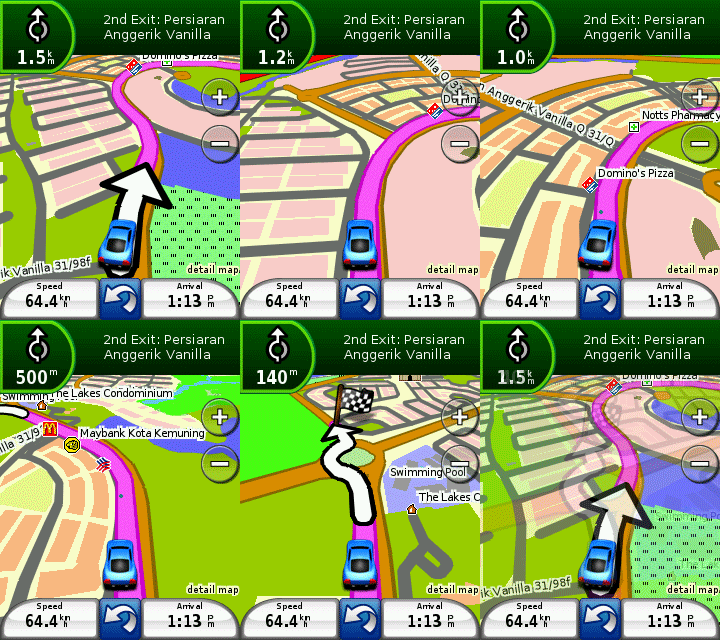
Why not try this? Garmin Xt navigation.

- Free from third party resources

- Used by Onlynokia5800.blogspot.com

- Tested by Onlynokia5800.blogspot.com

- Proven by Onlynokia5800.blogspot.com

Below is the full and correct instruction from a blogger in Malaysia.


__________________________________________________

It turns out, it is pretty tough considering my lack of expertise when it comes to Symbian OS phones. I spent 3 days experimenting all possibilities to make it work on my phone. Since it took a lot of my time, I’m going to save yours by teaching you.

Before you do anything, Download the file (80 mb ++) and read all the instructions before hand. It’ll help you to visualize the process.

Download file contains

  • GarminMobileXTforSymbianS603rdEdition_50040.exe
  • GarminMobileXTFreeBasemap_4xxxx.exe
  • GarminMobileXTSupportFiles_4xxxx.exe
  • gmapsupp.img (Malaysian Map, with DUKE highway)
  • garmin_kgen.exe
  • 5800_manual.pdf
  • GarminMobile20_GarminMobileXTOwnersManual.pdf

Note: You can skip part 1.

1. Setting up Apparatus, The Nokia 5800

  1. Back up all data using PC Suite (go to Nokia website).
  2. Soft reset by pressing *#7370#. Should take about 2-3 mins and you lose all your data (except on memory card). But don’t worry, you have back up remember?
  3. On your Nokia 5800, go to Application > Location > Positioning > Positioning Methods. Enable “Assisted GPS” and “Integrated GPS” ONLY. This will ensure you don’t get charge using WAP or 3G network for Internet.
  4. Go to Application > Location > GPS Data > Position > Options > Satellite status. This will show the satellite signals you’re receiving. Be sure you are outdoor in an open area. Balcony doesn’t work well, believe me I’ve tried. Once you’ve got AT LEAST 4 satellite signal, go back indoor, you don’t want people to think you’re crazy, waving your phone around.
  5. Now you’re ready for GarminXT.

2. Installing GarminXT on Nokia 5800.

  1. Once you’ve downloaded, unzip the files to someplace accessible preferably on your desktop. If you haven’t, please download it.
  2. Connect your phone via USB and select ‘Mass storage mode’.
  3. From you PC, double click “GarminMobileXTforSymbianS603rdEdition_50040.exe” to install and wait.
  4. Double click “GarminMobileXTFreeBasemap_4xxxx.exe” to install. Wait..
  5. Double click “GarminMobileXTSupportFiles_4xxxx.exe” to install.
  6. Remove USB connection between PC and phone. When prompted ‘Launch GarminXT’ do not click Yes, just Cancel.
  7. From your phone, go to Menu > Settings > Application Manager > Installation files. There should be GarminXT.sis file. Install it.

3. Cracking GarminXT on Nokia 5800.

  1. Tell yourself and say “Yes, I’m a cheapskate”.
  2. Run GarminXT from your phone at Menu > Application > Garmin. It will prompt you with some settings. Choose your preferable.
  3. Select “Use other device” when it prompts you to buy or trial. You will get a screen, “Where To?” and “View map”
  4. In GarminXT, go to Tools > Settings > About. Jot down “Card ID”, you will need it. Exit GarminXT
  5. On your PC, run “garmin_kgen.exe” and enter the “Card ID” from previous steps.
  6. Generate it and you will get a string of codes. Copy the codes to Notepad and save it as “sw.unl”. *Be sure you don’t save it as sw.unl.txt”*
  7. Connect your phone to PC and select “Mass storage mode”.
  8. Copy “sw.unl” to Garmin folder. Usually located at E:/Garmin.
  9. Copy “gmapsupp.img” from downloaded file to Garmin folder. “gmapsupp.img” is the Malaysian map.
  10. Disconnect your phone from PC.

4. Restore your Nokia 5800

  1. Reconnect your phone via PC Suite.
  2. Restore your settings through back up.

5. Setting up GarminXT on Nokia 5800

  1. You don’t need your PC anymore. Shut down and conserve energy.
  2. Run GarminXT on your phone.
  3. Go to Tools > Settings > System > Remote GPS. Change to “Use Attached GPS” by disabling the “Bluetooth GPS”.
  4. Go to Tools > Manage My Data > Map Sets > MapSource. Make sure all maps are enabled.

6. Toying GarminXT on Nokia 5800.

  1. Switch off your fans and lights. Go out.
  2. Run GarminXT, (duh!).
  3. Select “View Map” and wait for a while. The satellite will find you. It took me 5 mins or so. Just have patience and faith.
  4. Now you’ll see where you are.
  5. Go back and select “Where To?”. If you’re at home and wants GarminXT to store you current location as home, then select “Home”
  6. “Where To?” is rather confusing. I usually use “Where To?” > Point of interest. There’s lots of shopping malls, hospitals, banks, ATM machines etc. from there, you’d know where to go.
  7. Pat yourself and say “Well done”. The rest is up to you.

Note: I will NOT be providing support. If it doesn’t work for you, you can leave a comment and hope someone will rescue you. Google it!

______________________________________________

source:

http://www.noktahhitam.com/how-to-install-garmin-xt-on-nokia-5800-symbian-s60-v3.html

Pico Fart: Make Your 5800s FART!

Posted by Isaac Wong Sunday, November 22, 2009 0 comments

Probably the name along with the title, let it away but just in case you have any second thoughts, let us deal with them straight away: Pico Fart makes your 5800s fart and no kidding, it’s as real as any human’s flatulence, only sans the stench though!

You may probably overlook this app is just another fart app in the ovi store, but we should tell you that this one is for real, atleast when it comes to fart! These are the kind of apps, that push the iPhone app tally to well pas that fancy 100k mark, but hey look iPhoners our 5800ers has a share of fart apps of its own too! Enough of iPhone bashing, let’s get back to Pico Fart on 5800, after the break though. Read more »

source:tube5800.com


Improvements?

Improvements?

Don’t get me wrong. I love my Nokia 5800 XpressMusic. It took me five years to upgrade my phone simply because I have not found a phone suitable for my requirements. That is, until I saw theNokia 5800 on a blog post. I read it and it was quite unbelievable.

But just like any product, there are good things and shortcomings.

So we have developed a wish list of features that could still be part of an upcoming firmware update (fingers crossed) not only forNokia 5800 but also for other Nokia Phones. Here are some of the major cravings that I want to have in my Nokia 5800 phone.

Kinetic Scrolling

When Apple introduced the iPhone, the phone industry went crazy. When they debut this new piece of technology, we all salivated when we saw Steve Jobs swiped the touch screen and the display scrolled up with such fluid motion. I still remember the people cheering with astonishment. Folks, we have been introduced to the kinetic scrolling.

Kinetic scrolling is a phone feature where you flick the screen in the direction of choice and it will scroll continuously in a fluid motion. Image the “Price is Right” roulette moving up or down. Traditionally, we need to either press an “Up” or “Down” key and move one section at a time. Quite time consuming. Kinetic scrolling helps making things faster as you access your contacts or messages.

The Nokia 5800 has a touch screen similar to the iPhone. But it still uses the traditional section scrolling. Phone owners are hoping this will be part of a major upgrade soon. Why the folks in Nokia cannot include this in the update is still a mystery since they have been able to do it in the upcoming Nokia N900 phone.

Improved Camera

When I found out that this unit has a 3.2 megapixel camera with a Carl Zeiss lens, I said that it would be a great camera phone. This is the same lens used in video cameras. However, I was deeply disappointed at the picture quality of the Nokia 5800 phone. It was grainy and had problems in dim places. The photos have so much noise that it would be a sin to take them. The flash does help but not much. You can still see the imperfections.

Now, I do not know if a firmware upgrade will address this concern. Mostly, this is a hardware issue. Yet Nokia should also do something about it. Improve the camera software or tweak something inside that can influence better looking pictures.

Memory

Now, 81MB is not enough to run a lot of applications. Of course, a firmware update will not make the hardware memory increase in capacity. But could a firmware upgrade help in juggling the memory needs of the Nokia 5800 applications?

These are just some improvements I want to see in my Nokia 5800 XpressMusic phone. With the highly anticipated debut of the Nokia N900, there is so much buzz on how it has improved hardware wise. But don’t leave the Nokia 5800 behind. It still has plenty to offer to those who bought the unit. I will also need to select from mobile phone deals a new one as mine is just finishing.

Read More »

source:nokia5800.net

|
|
|
|
|
|
|
PhotobucketPhotobucketPhotobucket

Check for latest updates on News Achieved

5800XM gang