OnlyNokia5800[dot]blogspot[dot]com will share contents about Nokia 5800Xm.
We include
1. Third parties Applications & Games
2. Themes (a collection of links and websites)
3. Latest information updates from Nokia
5. Sharing between users

Downloading files from this site is at your own risk. But, I will ensure everything is useful to you.
However, they are few applications that are needed to be signed at SymbianSigned, Don't know what is SymbianSigned? Instruction when signing?? HERE
To check firmware version or whether your phone is up to date for your region HERE
Blog Widget by LinkWithin
Watch out for the updates for application, games, themes and more... everyday... every week. The site will be Collecting new Free application when it is available ... or... OVI Store for latest application

Nokia App: Atomic Dreams Digital Comic

Posted by Isaac Wong Monday, September 28, 2009 0 comments

The Comic's cover page.

The Comic's cover page.

All my life, I have enjoyed comic books. Comics have transported me to the world of Superman, Captain American and the legendary superheroes of the last fifty years. It has been a long lasting past time for kids in the 20th century. Then came the internet, cable internet and DVD. And comics took a backseat. Has internet killed the comics star? Well, with this concept application from Carnival Comics, we might just be able to bring back the interest to comics. Folks. Here’s the Atomic Dreams Digital Comic.

What is the Atomic Dreams Digital Comic

The Atomic Dreams Digital Comic is an application that lets you read a comic book with your Nokia 5800 XpressMusic phone. The story is about an American Indian tribe who has seen a vision of the future. I cannot talk much about the story since I want you to download the application and read it.

When you launch the application, you will be shown the comic book cover. It’s the big Atomic Dreams title and a sort-of nuclear cloud all in a mixture of yellow and red.

To turn to the next page, just swipe the screen to the left as if you are turning the page. The screen will scroll from left to right with a new page coming in. If you want to go to the previous page you just read, just swipe the screen to the right.

My take on the Atomic Dreams Digital Comic

I love the possibilities of bringing the comic book concept on a device like the Nokia 5800 XpressMusic phone. The colors of the comic are bright and vivid. The text of the conversation balloons are readable.

Comics on your Nokia 5800.

Comics on your Nokia 5800.

However, we have a problem. If you want to stop reading while in the middle of the comic, the application does not have a way to close it. This means there are no “X” icons or any other buttons indicating you can get out of the application. You have to go back to the comic cover page to leave the comic. Also, if you want to return to the page you left on, there is no way to do that. The application is just a simple slideshow of photos with a back and forth direction.

I would suggest that they put more improvements such as the obvious absence “Exit” button. Also, a page list would be good. Maybe they can put a bit of visual effect like a page turn when you go to the next page.

If the big companies like Marvel and DC can see the potential of this concept, I think we will be able to see familiar titles in our Nokia 5800 XpressMusic phones. Of course, it might have a price tag on it but it is because these are known superhero titles. It is expected.

My verdict

The concept is exciting. I’m looking forward to other titles and improvements of the digital comic book.

The Atomic Dreams Digital Comic application can be downloaded for FREE HERE at the Ovi Store. Just register to access the site. You can also download this application straight to your Nokia 5800 XpressMusic phone by installing the Ovi Store Application.

Read More »


source:nokia5800.net

Vlingo- Voice Control Comes to Nokia 5800

Posted by Isaac Wong Saturday, September 26, 2009 0 comments

Ever since we say the voice command feature of the iPhone we have been hoping we would get that function on iPhone killer-5800s. We are not actually surprised that the best selling phone in Europe got an app for using voice commands on our 5800s.

Vlingo is one of the coolest apps we have seen on our 5800s. Not only is it an excellent app for controlling your 5800 over a voice commands, it also users to update their status on popular networking sites of facebook and twitter. More details after the break. Read more »


source:tube5800.com

We know the target audience for this app may not be even reading this review but then we know our readers have a kind heart and are more than willing to share this amazing app with our “visually” less fortunate friends.

Braille reader is one of the latest products from Nokia Beta Labs and we must confess this is one of the most innovative apps we have seen in this platform. Not only does the app utilise all of 3.2″ of our 5800 screens but also the haptic feedback has been put to good use for the benefit of the visually impaired. Nokia Braille Reader gives SMS for the blind and visually impaired. It captures received SMS messages and brings them to the foreground for reading using Braille and tactile feedback. Read more »


source:tube5800.com

Nokia App: Pendulum

Posted by Isaac Wong 0 comments

Patterns on your Nokia 5800.

Ever wondered about the graphical capabilities of the Nokia 5800 XpressMusic phone? To help you test it, you can use the FREE application known as Pendulum from OffScreen.

What is Pendulum?

Pendulum is a simple application that can test the graphics of your phone. When you launch the application, you will be greeted by just a black screen. The tendency is to touch the screen. And when you do, some activity starts on the screen. You will notice a red colored line start forming ovals and the ovals are being drawn over each other. The colors start changing as well. It starts from red going to orange to yellow and so on. If you let it continue, the application will form like a ball of yarn.

Read More »

source:nokia5800.net


Do you have more space for your music or videos?

Do you have more space for your music or videos?

Ever wanted to check your Nokia 5800 XpressMusic phone’s memory and the 8GB external memory card that comes with the unit the simplest way possible? Now you can with the Memory Status Touch created by OffScreen.

What is Memory Status?

Programmed by OffScreen Technologies, Memory Status Touch is a lightweight and simple application that, for all intensive purposes, checks the memory status of your phone and the external card installed in your phone.

When you launch the Memory Status application, the screen projects two capsule-like shapes with reflection effects similar to the Mac OSX interface. The first capsule indicates the Phone’s internal memory while the second capsule is the Memory Card. Beside the text descriptions is the size of the indicated memory slot.

You will notice the bar filling up giving you a graphical representation of the memory. At the bottom of every capsule, the application will display the eaten memory and how much more space is available to consume.

At the upper left corner, you will see a big “I” which will pop the “About Us” window. At the upper right corner, you will see a big “X” which obviously ends the application.

My take on the Memory Status Touch application

I like the simplicity of the application. It’s very frank. It tells you how much space was consumed in your phone or memory card. It is a similar feature to the iTunes memory checker when you plug in your iPod or iPhone.

Unfortunately, it does not give you a breakdown of what type of files your spaces takes up. It would have been nice to see indications of photos, music and other files. A nice wish-list feature for future releases for the Nokia 5800 XpressMusic version.

My verdict

The Memory Status Touch application does its work well. Though the Nokia 5800 has a built-in application to check your phone or memory card’s remaining space, I prefer using this instead. It’s graphical and pretty much gives me the information I need to know. This is a “must have” and handy tool for all Nokia 5800 users.

Sometimes, simplicity has its advantages. This is a simple application with a very important purpose. Now, checking your memory is cooler that just text and numbers.

The Memory Status Touch application can be downloaded for FREE at the Ovi Store. Just register to access the site. You can also download this application straight to your Nokia 5800 XpressMusic phone by installing the Ovi Store Application.

Read More »

source:nokia5800.net

Nokia Game: Candy Shop

Posted by Isaac Wong 0 comments


Match the candy icons. Get points. Yum!

Match the candy icons. Get points. Yum!

One of the fortes of the Nokia 5800 XpressMusic phone is the ability to present games in full graphics and sound. The phone most notably excels in the field of puzzle games. If you are looking for a simple yet addicting game that brings an alert mind and sharp pair of eyes into the picture, then the Candy Shop game is for you.

What is Candy Shop?

Programmed by Play Tomo, this game is both good for the eyes and for the brain. The object of the game is to align three (3) or more of the candy icons to reach the stage’s score objective. A running time sets off once the game starts. To align three of more candy icons, one must touch an icon and swap it with a neighboring icon either above, below, at the left or at its right. Then, the similar icons disappear thereby bringing the above row of icons to go one level lower. This gives us more options to mix and match the icons and get more points.

Read More »

source: nokia5800.net


What is User Agent?

In terms of web browsers, User Agent is a string that identifies the browser. When a mobile device uses a browser to access a website then this User Agent string, tells the website as to what type of browser is being used to access the website. Depending on the type of browser, the website modifies its content and makes it suitable to be viewed on the web browser. Ex – If you are using a Nokia 5800’s browser to access Gmail, then the layout is modified by the Gmail web server to suit the web browser. Similarly, if you use the iPhone to access Gmail, the layout will be different depending on the iPhone’s browser.

To modify the User Agent for Nokia 5800, we need the following three installation files. One of these files is unsigned and need to be signed before you can install it on your phone. There is an existing post detailing the entire process of signing an unsigned application.

1) iphonesque_UAChange.sis [Need to be signed]
2) PythonForS60.sis
3) UserAgentSelect.sis

Benefits of changing the User Agent of Nokia 5800

There are no great benefits of doing this, however, it does allow you to access some sites that are more easy and comfortable to browse on your phone. One of the greatest examples are gmail, orkut, facebook and other google apps. Sometimes, you may be looking to download some content from a website that is not available for your phone but you know that it will work on your phone. In such a case you simply have to change the User Agent and get the desired content.

Iphonesque is a Python based application that actually gives you a UI based change options between the following User Agent –

Scr000322

Scr000323

Scr000324

Let’s start the step by step process of installing all the required files. It is mandatory to sign “iphonesque_UAChange.sis” before installing it to your phone.

Read More »

source:nokia5800.net

5800 vs 5530

Posted by Isaac Wong Saturday, September 19, 2009 0 comments

Nokia 5800 vs 5330 18 September 2009 – The Nokia 5530 is seen as the succeeding model to the 5800. In short, the 5530 is a slimmed down version of the 5800.

The key difference between both devices is that the 5530 does not come with the HSDPA / WCDMA 3.5G technologies which are found in the 5800. Almost all the other features are the same so it will come down to a decision of whether one wants a 3.5G phone or a non-3G phone. The difference is about 10% of the retail price.

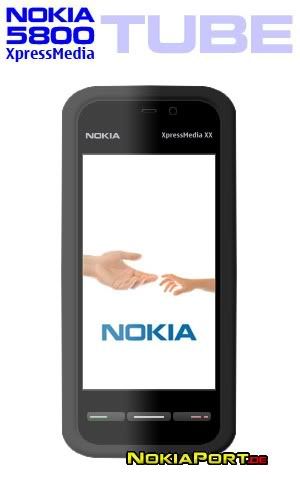
Nokia 5800 XpressMusic (codenamed Tube) (RM 1050 - 1080)
3.5G HSDPA + WiFi 802.11 b/g, Touchscreen Candybar, 3.2 MP Camera, 81 MB Memory + microSD

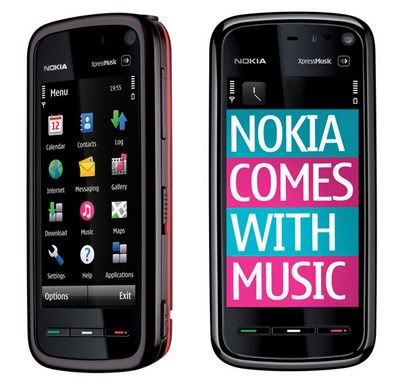
The Nokia 5800 XpressMusic is amongst the first devices to support Comes With Music, Nokia's groundbreaking service which offers one year of unlimited access to the entire Nokia Music Store catalogue.

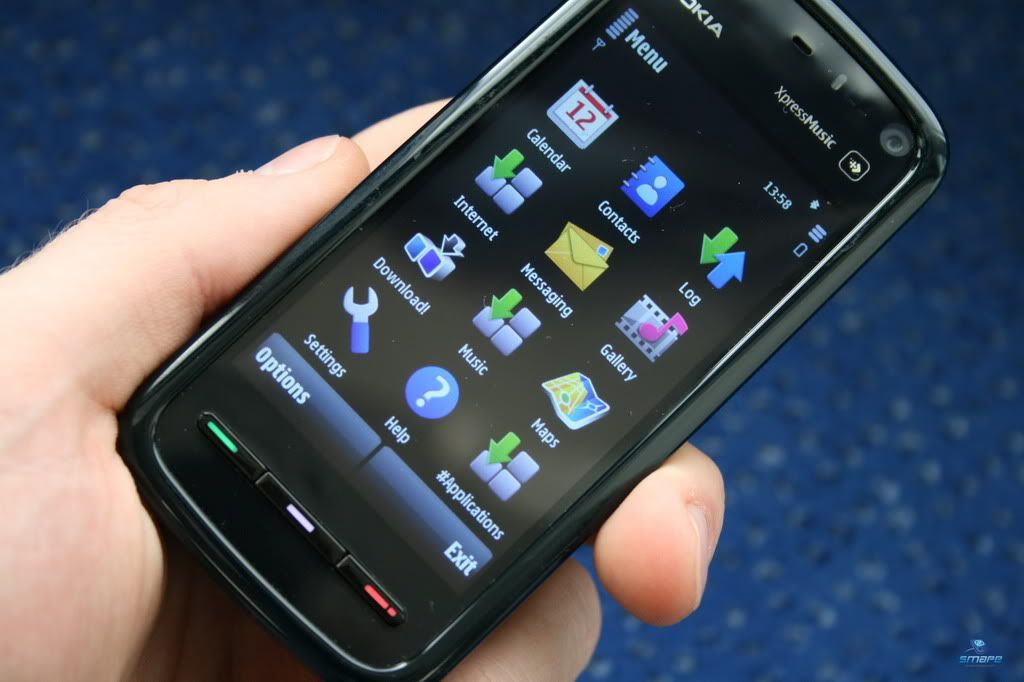
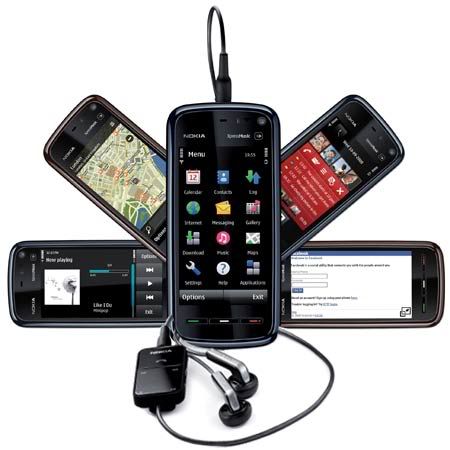
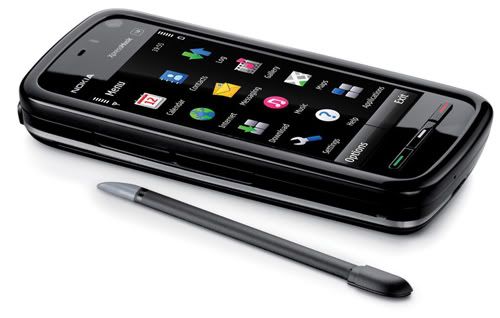
The Nokia 5800 XpressMusic is a S60 5th Edition device with a resistive touch screen and tactile feedback. The device has variety of input methods: stylus, plectrum and finger touch support for text input and UI control (alphanumeric keypad, full and mini qwerty keyboard, handwriting recognition). It supports WLAN or HSDPA (3.5G). Supported WCDMA frequencies depend on the region where the device is available. Find directions and locations with the integrated A-GPS and included maps.

According to Wikipedia, a prototype of this handset was seen in the 2008 Batman movie, The Dark Knight, Christina Aguilera's "Keeps Gettin' Better" as well as the #1 hit "Womanizer" by Britney Spears. The handset was also seen in Flo Rida's "Right Round", The Pussycat Dolls' "Jai Ho!" and Hush Hush and Katy Perry's "Waking Up In Vegas" music videos.


source:mobile88.com

Doesn’t it get boring to be listening to the same old ringtones that came in pre-loaded on your 5800s. With 5800s selling in bucket loads, we like to differentiate ours with that premium ringtone to set our 5800s apart from the crowd.


While there are tons of them available on the web, finding that perfect ringtone continues to be a frustrating task. To make things easier for our readers, we have scouted the web and compiled a few sets of ringtones to appeal to different genres of our readers. More details after the break. Read more »


source: tube5800.com

Managing Music on your 5800 can be a big headache especially if you don’t have a tagged music collection to start with. Add to that the album art incompatibility and absence of the option of tagging the files directly from our 5800s, there is a dire need for an app that can help us organise and manage our music collection on our Xpressmusic 5800s.

While Shazam, is an excellent application to tag music, its feature set is largely limited to just tagging and linking to the tracks in Nokia’s Music store. Midomi is another competing service, which offers value added features like: sharing a song on Twitter or Facebook, links to lyrics, videos, and artist info for free. Hit on the jump button for more details. Read more »


source:tube5800.com

|
|
|
|
|
|
|
PhotobucketPhotobucketPhotobucket

Check for latest updates on News Achieved

5800XM gang